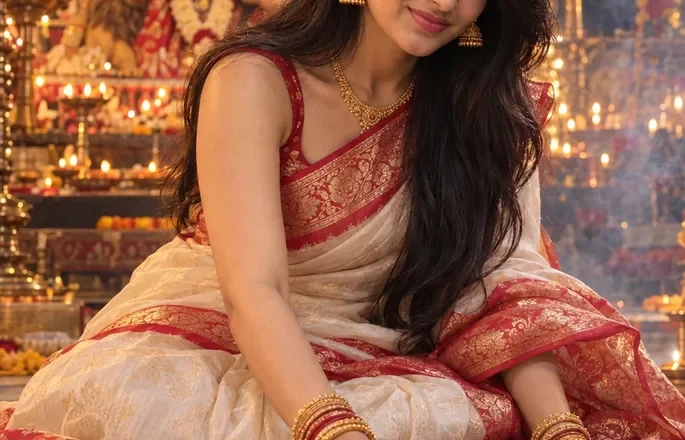
Ultra-realistic 8K portrait photo (9:16 ratio) featuring a young woman whose face perfectly matches the reference image (100% identical features, realistic skin texture, and a natural smile). She is dressed in a traditional designer yellow saree with necklace in the neck and watch and bracelet in the hand, standing at a Diwali market stall in the evening, thoughtfully selecting diyas from a beautifully decorated table. The warm glow of the diyas softly illuminates her face, accentuating her gentle expression. In the background, colorful lanterns, a softly blurred crowd, and festive hues create depth and atmosphere. The entire image should appear completely real — with cinematic lighting and DSLR-level detail and depth of field.
Yellow Saree Diwali Market AI Photo Prompt for Girls
A yellow saree looks especially beautiful under the warm lights of a Diwali market. From decorated shopfronts to rows of glowing diyas, the festive surroundings add color and life to a traditional outfit. The Yellow Saree Diwali Market AI Photo Prompt for Girls helps you create a portrait inspired by that atmosphere, with a bright saree, traditional styling, and the feel of an evening spent exploring a festive bazaar.
This photo idea is ideal if you want something more lively than a plain indoor portrait. The market setting gives the image a story, while the yellow saree becomes the main visual highlight.
What This Yellow Saree Photo Looks Like
Imagine yourself walking through a Diwali market as the shops light up for the evening. You are wearing a yellow saree with a delicate gold border, paired with matching jewelry and a neatly styled blouse. Behind you, colorful lanterns, festive decorations, and small clay diyas create a warm, inviting background.
The image can capture a candid moment, such as looking at a decorated stall or turning toward the camera while walking. Softly blurred lights help separate you from the busy market, while realistic fabric folds and natural skin texture keep the portrait grounded in photography.
The yellow saree can be mustard, lemon yellow, or a softer golden shade, depending on the mood you prefer. Each shade works differently with the warm market lighting, so choosing the right one can change the overall feel of the photo.
How to Use the Yellow Saree Diwali Market AI Photo Prompt
- Copy the complete photo prompt provided on this page.
- Open ChatGPT or another AI image generator that supports photo uploads.
- Upload a clear portrait of yourself if you want a personalized result.
- Paste the prompt and generate your image.
- Check the saree color, facial details, jewelry, and market background.
- If the result looks too artificial, adjust the lighting, pose, or background details and try again.
A clear reference photo with your face visible is a useful starting point. You can ask the image generator to preserve your original facial features and skin tone, although exact likeness is not guaranteed.
Tips for a Beautiful Yellow Saree Market Portrait
Pick the Right Shade of Yellow
A mustard-yellow saree gives the portrait a rich, traditional appearance, while lemon yellow creates a brighter and more youthful look. A golden-yellow saree with subtle embroidery works well if you want something more festive.
If the background already contains lots of colorful lights, a simpler saree design can keep the overall image balanced.
Make the Market Feel Lively
Ask for Indian market stalls decorated with marigold garlands, colorful lanterns, festive lights, and traditional diyas. A few distant shoppers can add movement, but the background should not be so crowded that it competes with the subject.
A slightly blurred background is useful when you want the saree and face to remain the main focus.
Keep the Saree Details Realistic
The saree should drape naturally around the body, with believable pleats and a visible border. Describe the blouse style and jewelry clearly if those details matter to your preferred look. Avoid combining too many patterns or accessories, as they may make the outfit appear inconsistent.
Use Warm Evening Lighting
Diwali markets are often most atmospheric after sunset, when decorative lights stand out against the darker surroundings. Soft golden illumination can complement a yellow saree, but the image should retain enough contrast to show the fabric’s actual color.
For a more candid photograph, ask for natural expressions and realistic shadows rather than dramatic beauty lighting.
Preserve Your Natural Features
If you want the portrait to resemble you, include a clear instruction to retain your facial structure, hairstyle, and skin tone. Review the result carefully because AI image generators can still alter facial details or produce unusual jewelry.
Different Yellow Saree Looks to Try
You can change the outfit and setting to create a portrait that matches your style.
- Traditional bazaar look: A mustard saree with a gold border and decorated stalls behind you.
- Modern festive portrait: A simple yellow saree with minimal jewelry and softly glowing shop lights.
- Candid shopping moment: A natural walking pose while browsing Diwali decorations.
- Cinematic evening photo: A darker market background with warm lights and gentle highlights on the saree.
For Instagram feed posts, a vertical 4:5 composition works well. Choose 9:16 if you want to use the image as a Story or Reels cover.
Where to Use Your Yellow Saree Diwali Photo
The finished portrait can be shared on Instagram, used as a WhatsApp display picture, posted on Facebook, or included in a digital Diwali greeting. If you want the image to work well as a profile photo, choose a crop that keeps your face and the saree’s main details visible.
You can also create multiple versions with different yellow shades, jewelry, and market backgrounds to find the look that feels most natural to you.
Create Your Yellow Saree Diwali Market Portrait
The charm of this photo idea comes from the contrast between a bright traditional saree and a lively Diwali market. With natural draping, warm lights, and a relaxed pose, the result can feel like a genuine festive moment rather than a heavily edited fashion image.
Try the Yellow Saree Diwali Market AI Photo Prompt for Girls to create a personalized portrait inspired by the colors and atmosphere of Diwali shopping.
Read Also
- Durga Puja Prompt for Girls
- Navratri AI Photo Prompt for Girl
- Garba Dance AI Photo Prompt for Girl
- Navratri Garba Girl Colorful Chaniya Choli Dandiya
- Navratri Garba Girl Playing Dandiya at Night
- Navratri Dandiya Girl Colorful Lehenga Portrait
- Navratri Garba Girl Traditional Lehenga at Temple
- Navratri Garba Man Traditional Kurta Portrait
- Navratri Garba Couple Playing Dandiya
- Navratri Garba Couple Pink Outfit Dandiya